
Learn how to email files from the prompter.
In order to use email files you must have: Configured mail account |
1. From the prompter, open the settings by pressing the Settings button.
2. Display the files by pressing the Files option. 
3. Select the file to email from the list of files.
4. Press the Sharing button to display the file sharing methods. 
5. Select the file format to use for exporting the file. 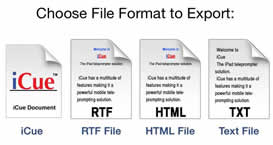
6. Press the Mail option. 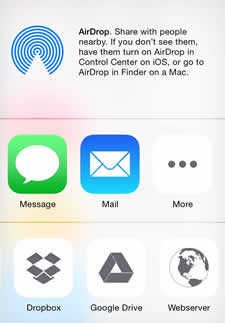
7. Enter the email address to send the file to, add a subject or message content as required. Press the Send button to send the email. 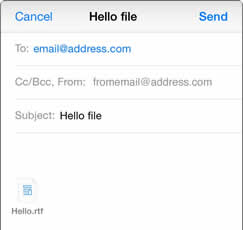
*Note: The email is sent using the Mail app. You can see the status of the email from the Mail app.
8. Press the Settings button to hide the settings.
See Also: